Looks like the job
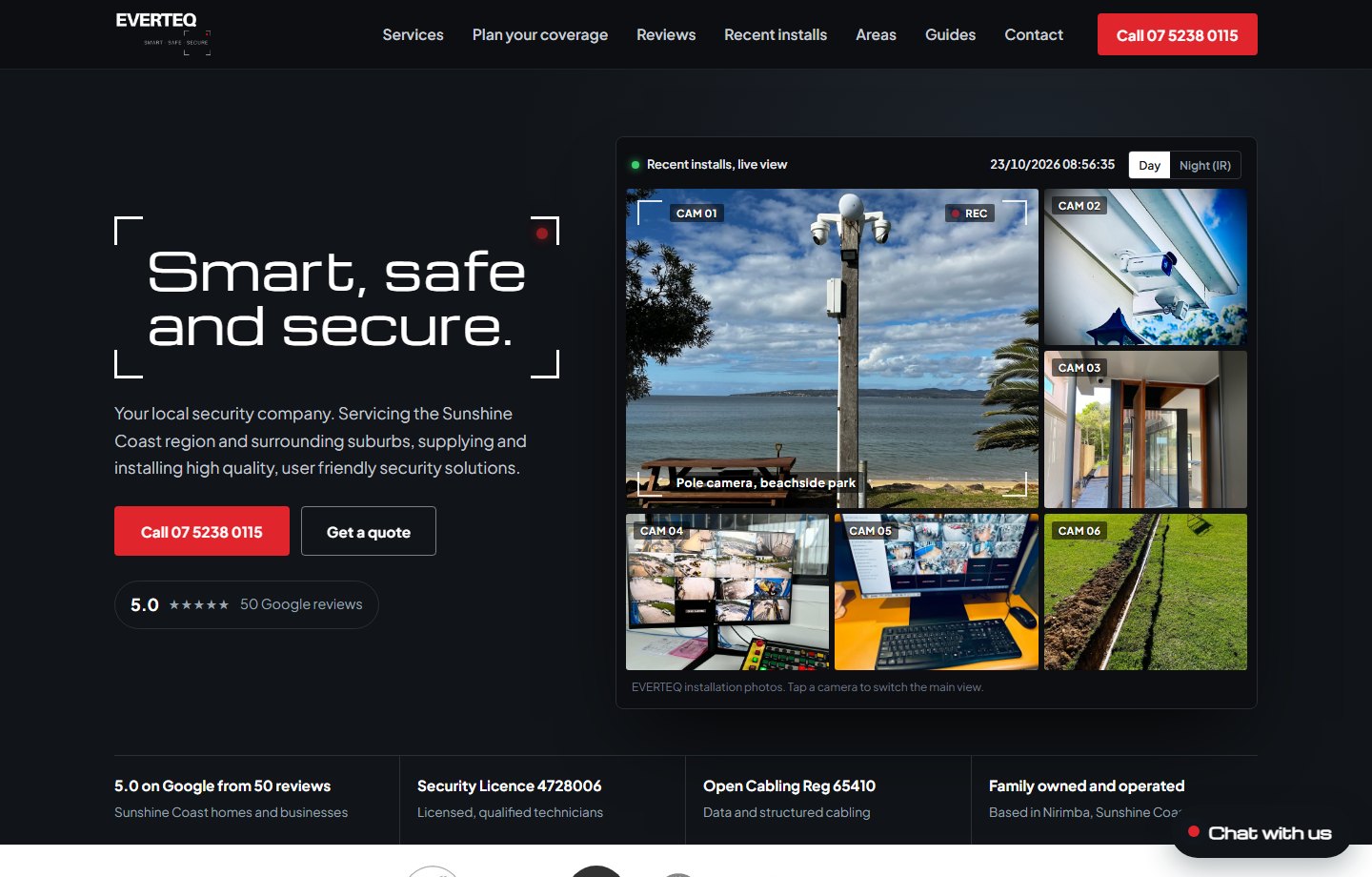
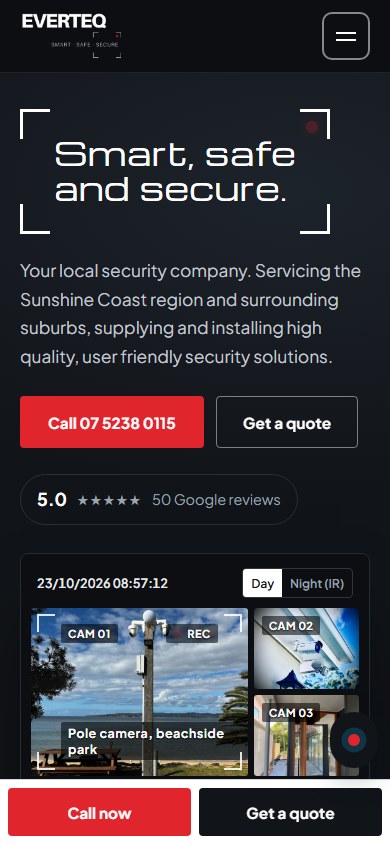
Your own install photos run as live camera feeds, with a Day and Night (IR) switch. Visitors see what you do before they read a word.
A visual walkthrough of the website built for EVERTEQ: a live-view camera wall, an interactive coverage planner, an AI assistant that captures leads, and a dashboard to run it all.
Your own install photos run as live camera feeds, with a Day and Night (IR) switch. Visitors see what you do before they read a word.
A page for every service and every Sunshine Coast suburb you cover, plus 60 guides, so locals find EVERTEQ on Google.
Forms and AI chats flow into one dashboard with transcripts, a calendar, and traffic and conversion reporting.
This is the presentation version, not the source code. Scroll through the customer-facing site, mobile layout, AI assistant and owner dashboard.
CAM 01Website experience
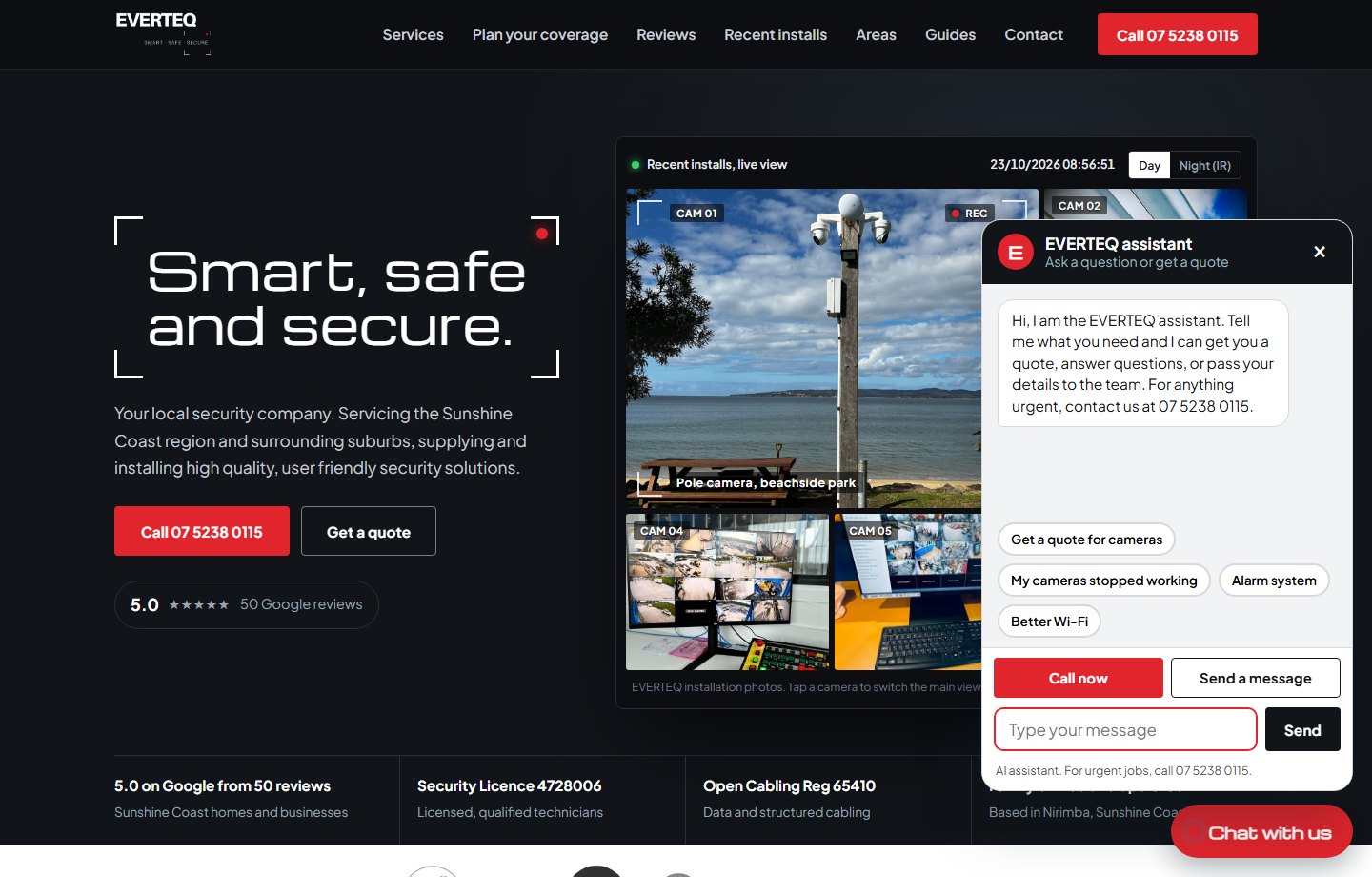
The hero is a live-view monitor wall built from EVERTEQ's own install photos, with camera labels, a ticking Sunshine Coast clock and REC indicator. The licences, Google rating and call button are visible straight away.
CAM 02Website experience
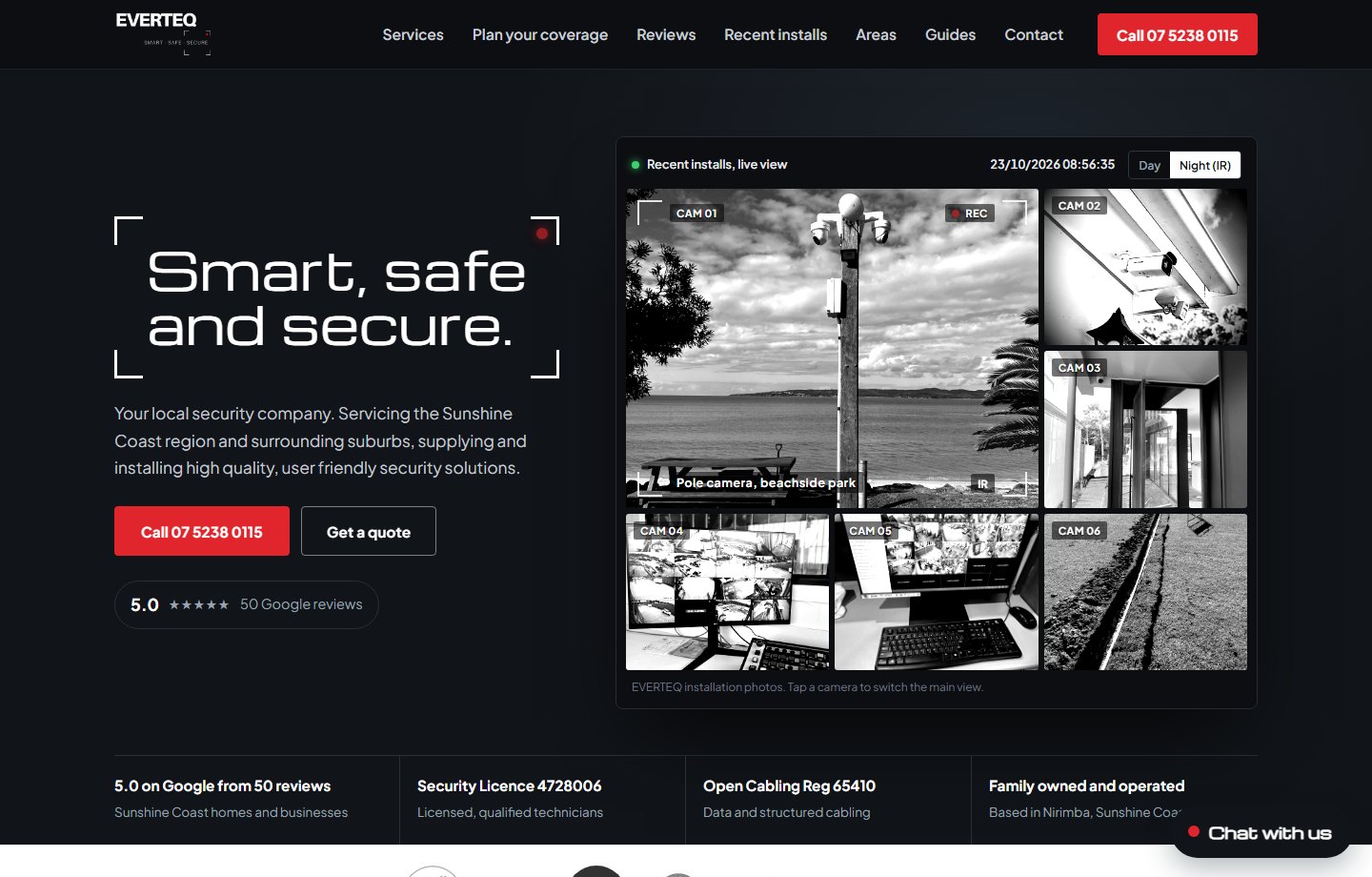
One tap turns every feed to infrared, the way a real camera sees at night. Visitors can also tap any camera to make it the main view.
CAM 03Website experience
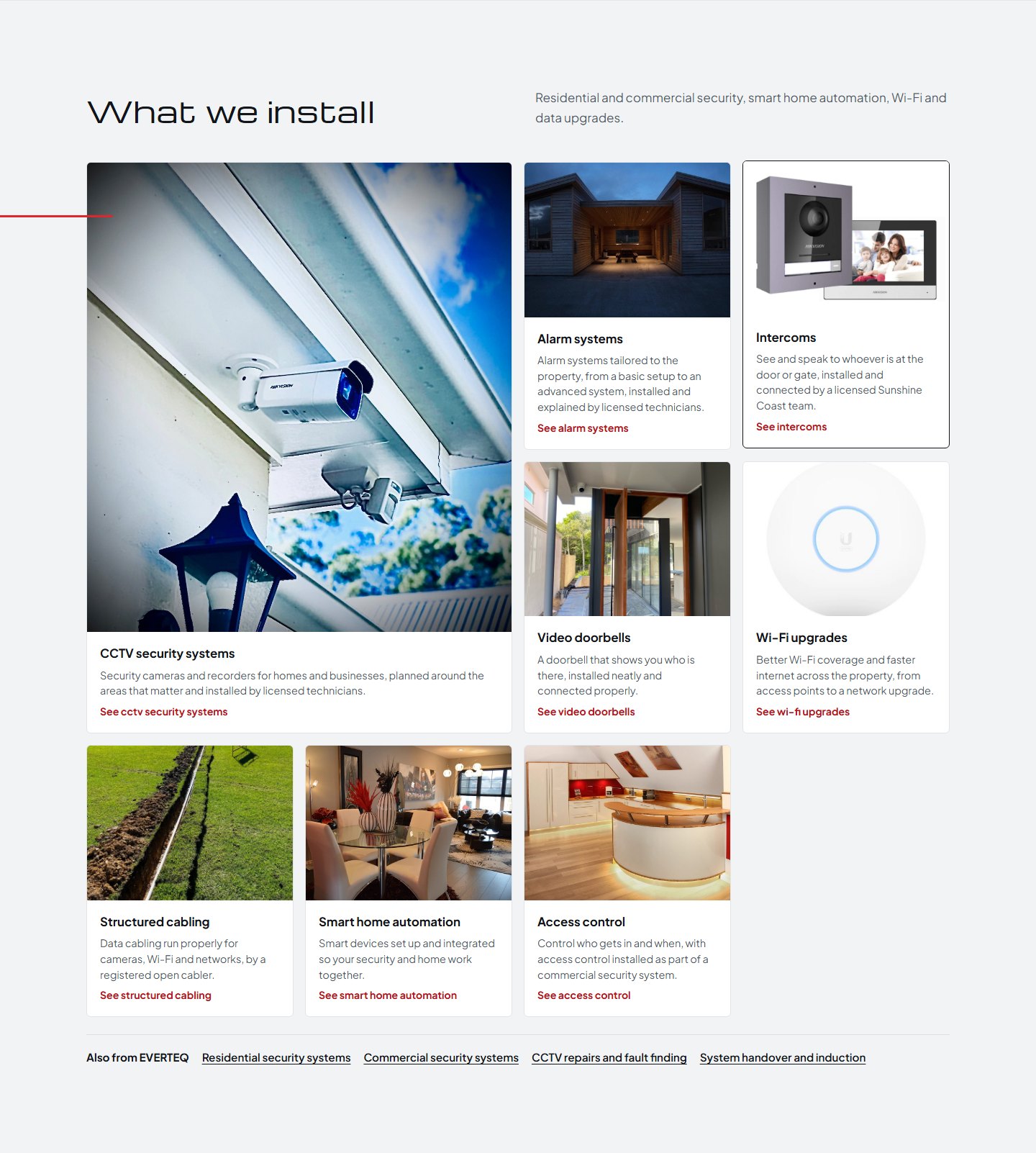
CCTV, alarms, intercoms, video doorbells, Wi-Fi, cabling, smart home and access control, each with its own photo, summary and page.
CAM 04Website experience
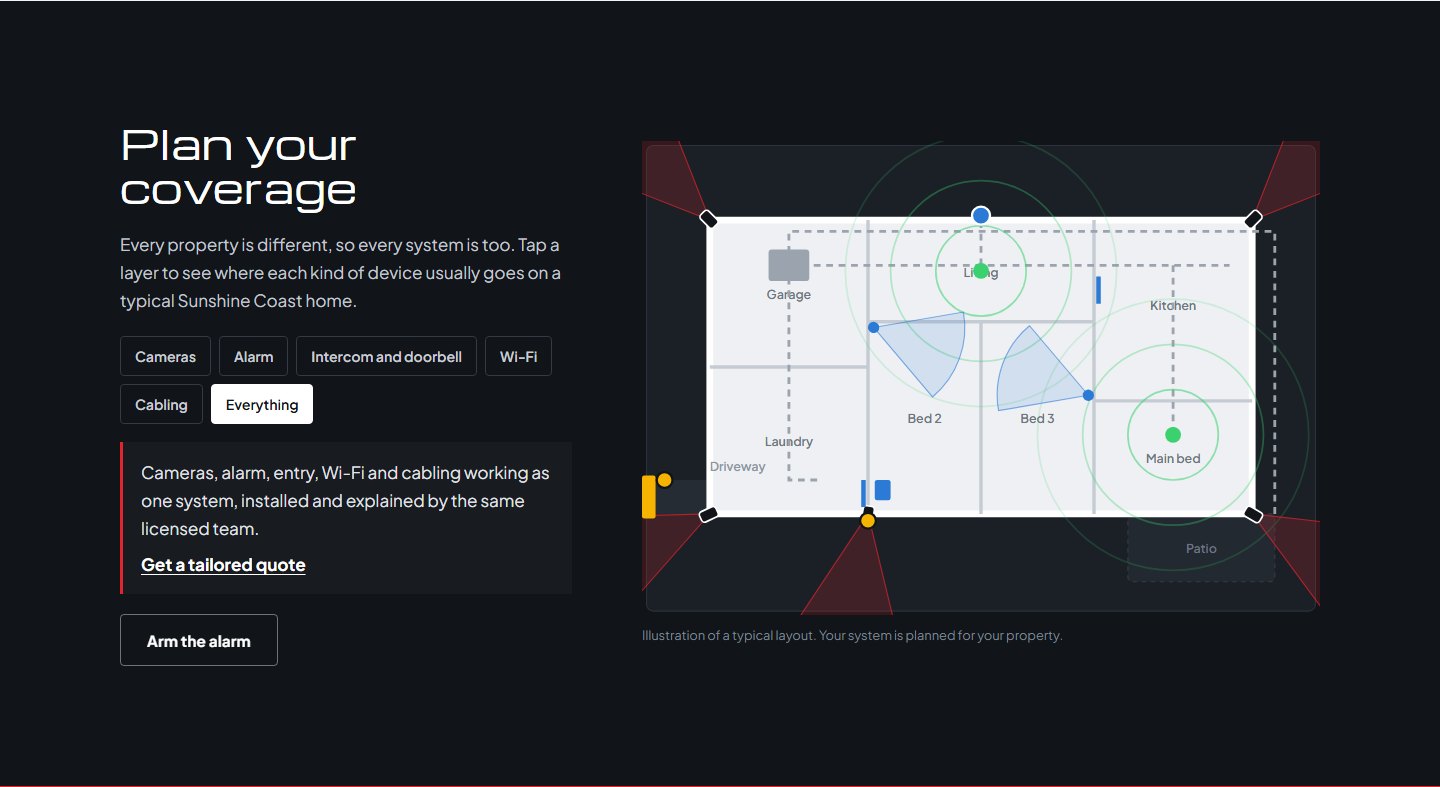
An interactive floor plan shows where cameras, alarm sensors, intercoms, Wi-Fi and cabling usually go on a Sunshine Coast home. Visitors can switch layers and arm the alarm.
CAM 05Website experience
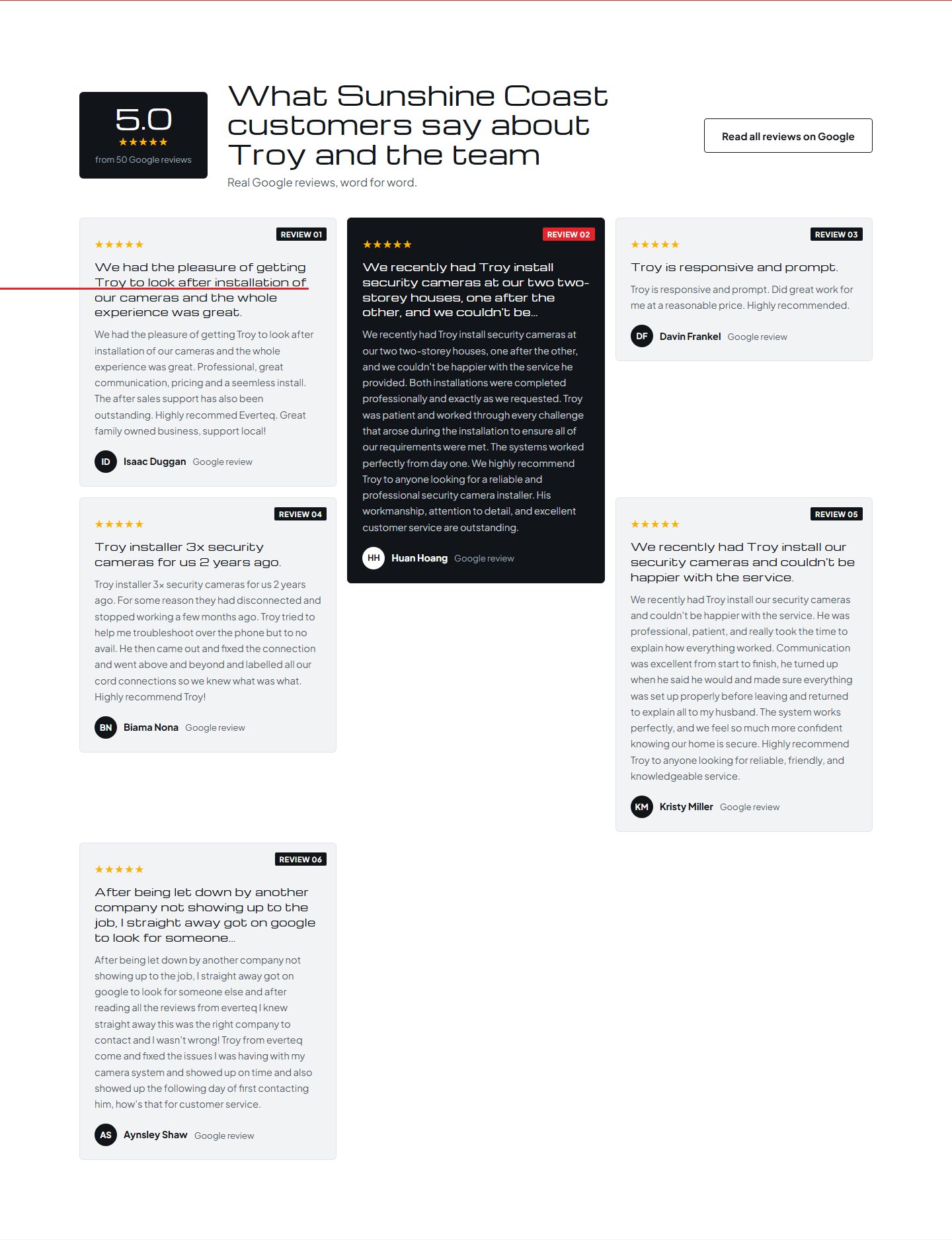
The 5.0 rating from 50 reviews leads the section, with full reviews from real customers instead of a widget hidden at the bottom.
CAM 06Website experience
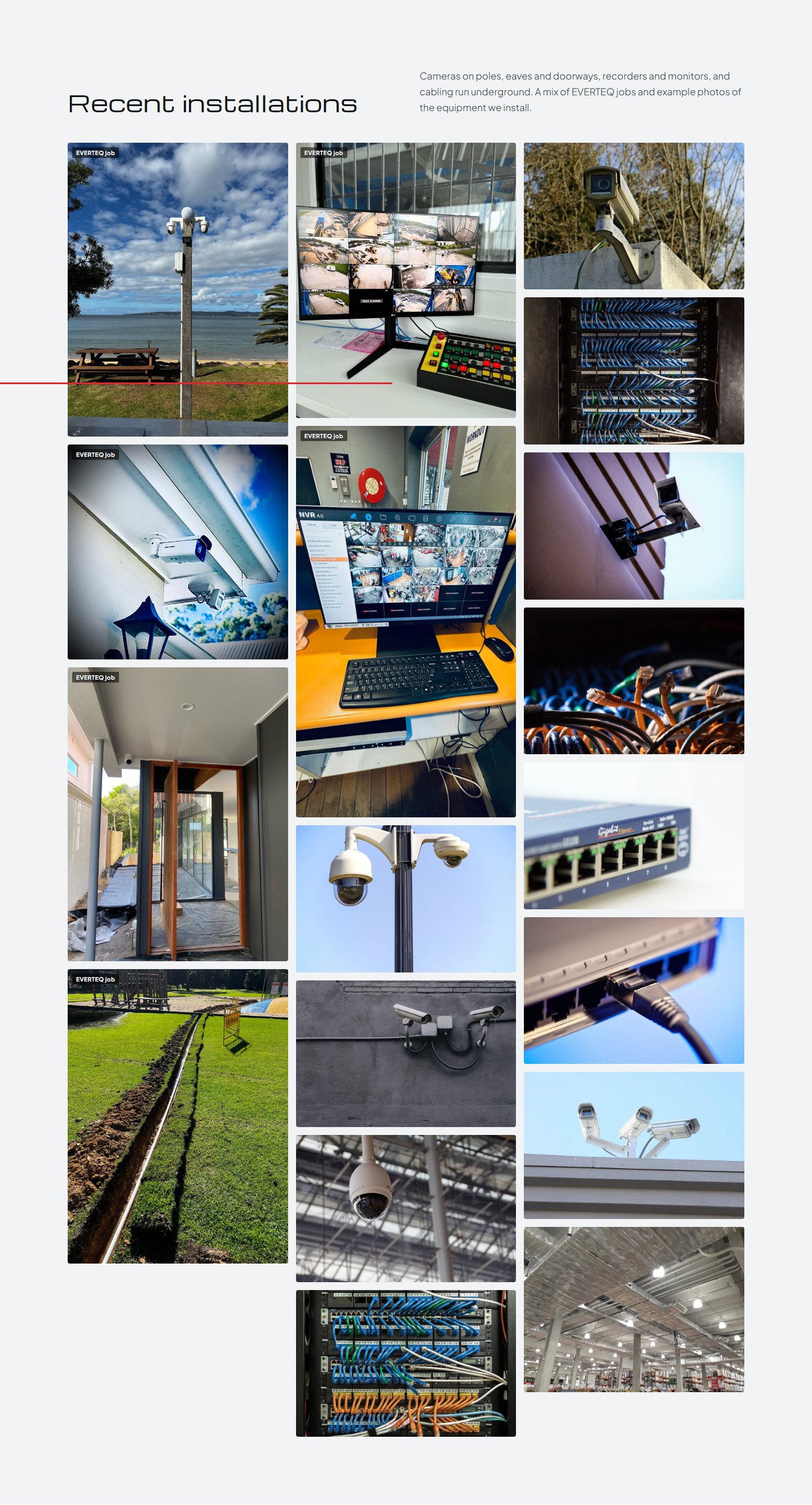
A gallery of EVERTEQ jobs, from beachside pole cameras to underground cabling runs. Each photo opens full size.
CAM 07Website experience
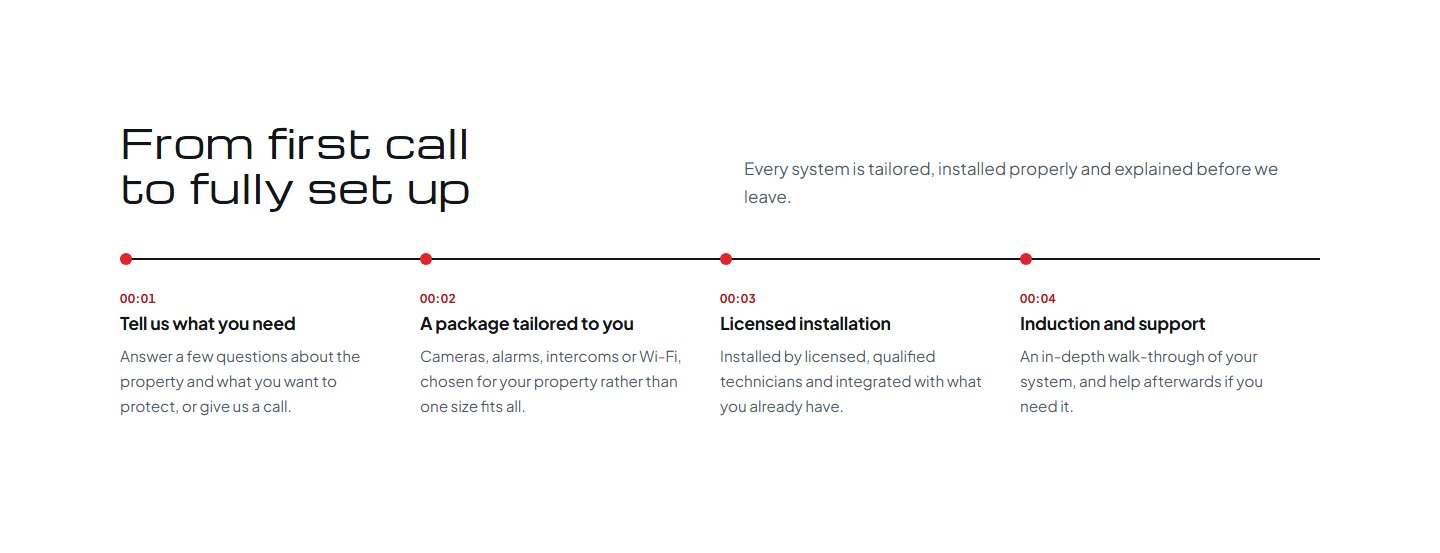
Four clear steps, from telling EVERTEQ what you need to a tailored package, a licensed install and a full induction, so customers know what happens before they pick up the phone.
CAM 08Website experience
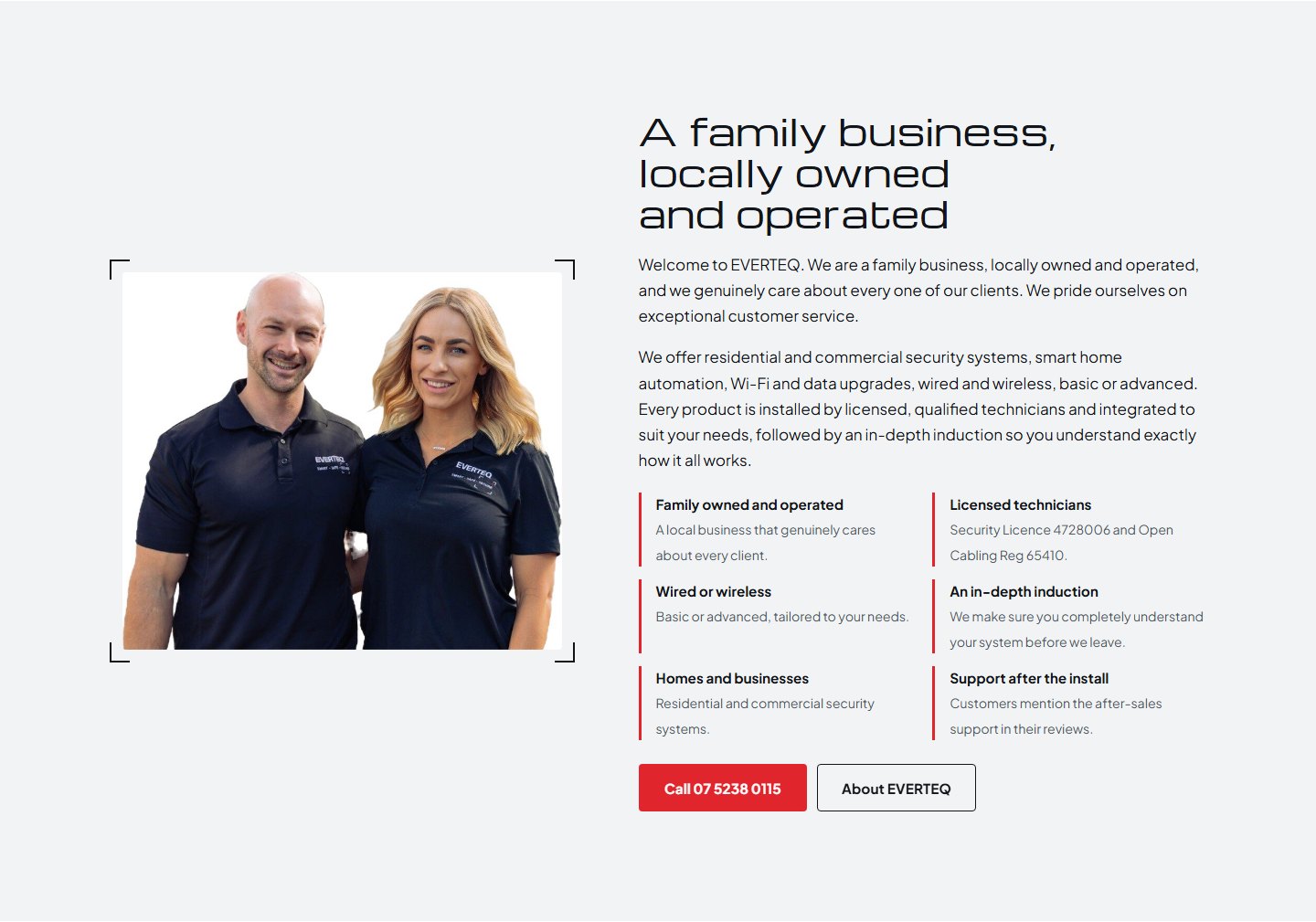
A family-owned, locally operated team, with the Security Licence and Open Cabling registration shown properly instead of only in the footer.
CAM 09Website experience
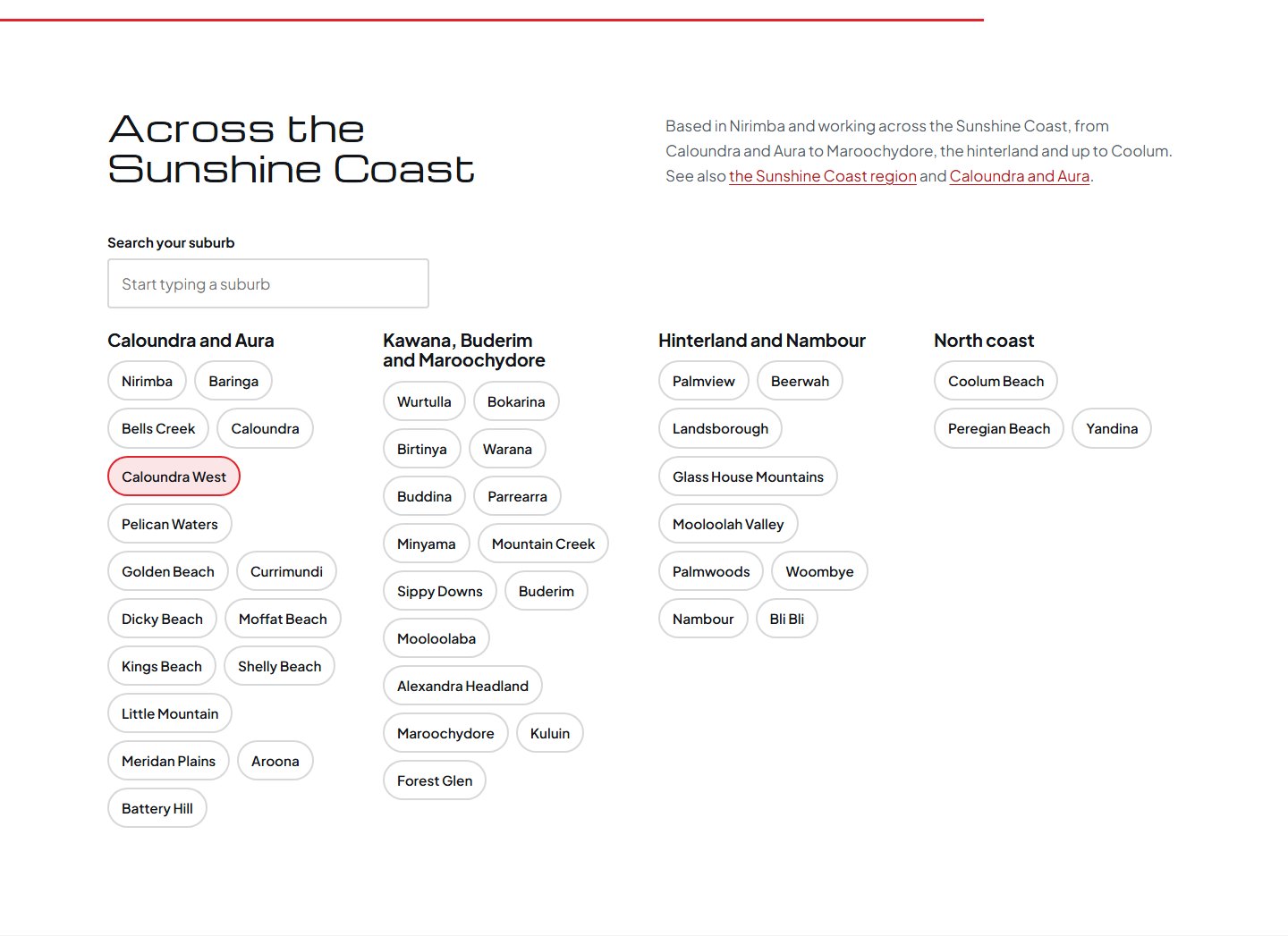
Over 40 Sunshine Coast suburbs, grouped by region with a search box. Each one links to its own page so locals find EVERTEQ on Google.
CAM 10Website experience
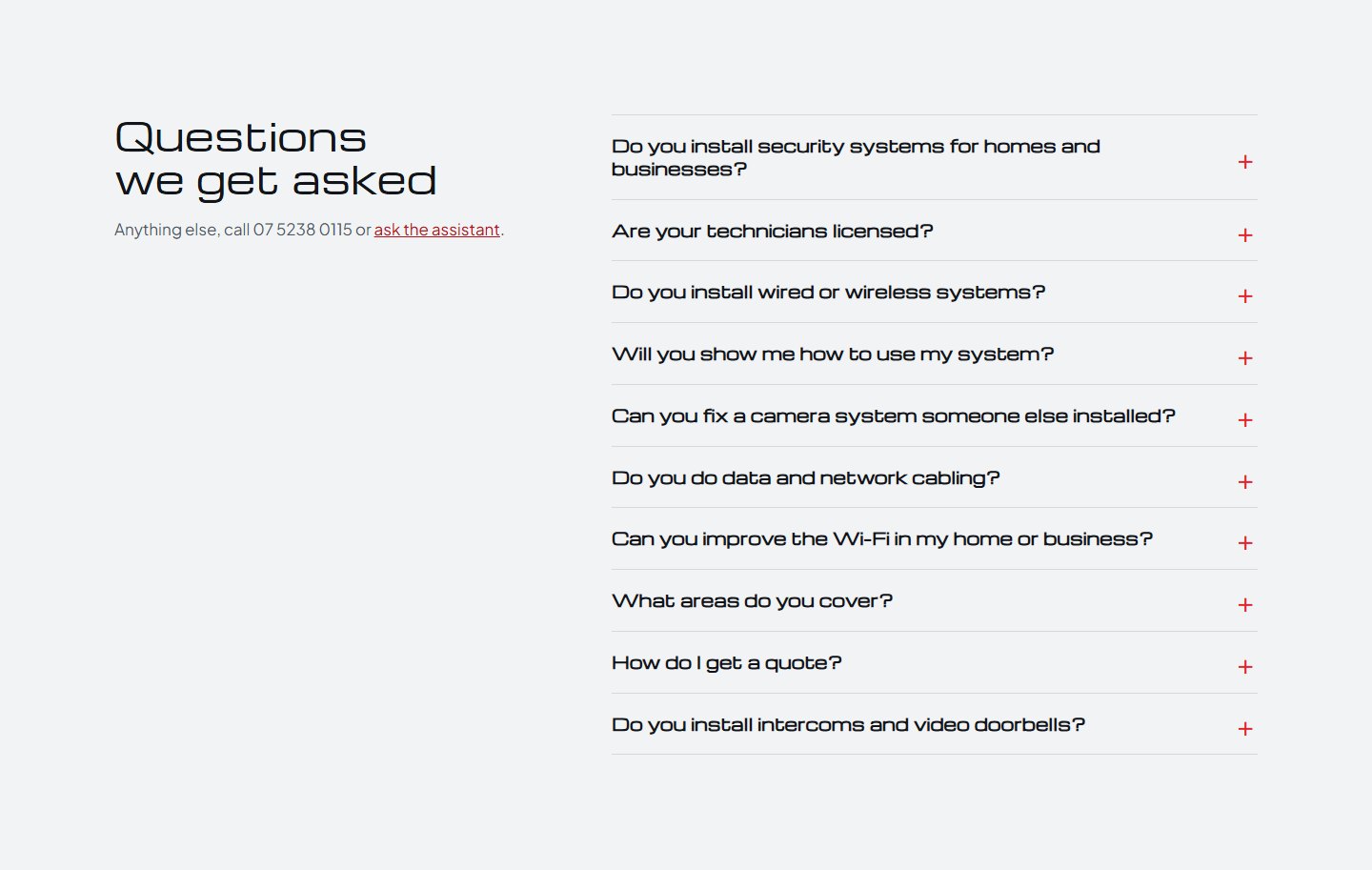
Licensing, wired vs wireless, inductions, fixing another installer's system, cabling, Wi-Fi, service areas and quotes, answered in plain language.
CAM 11Website experience
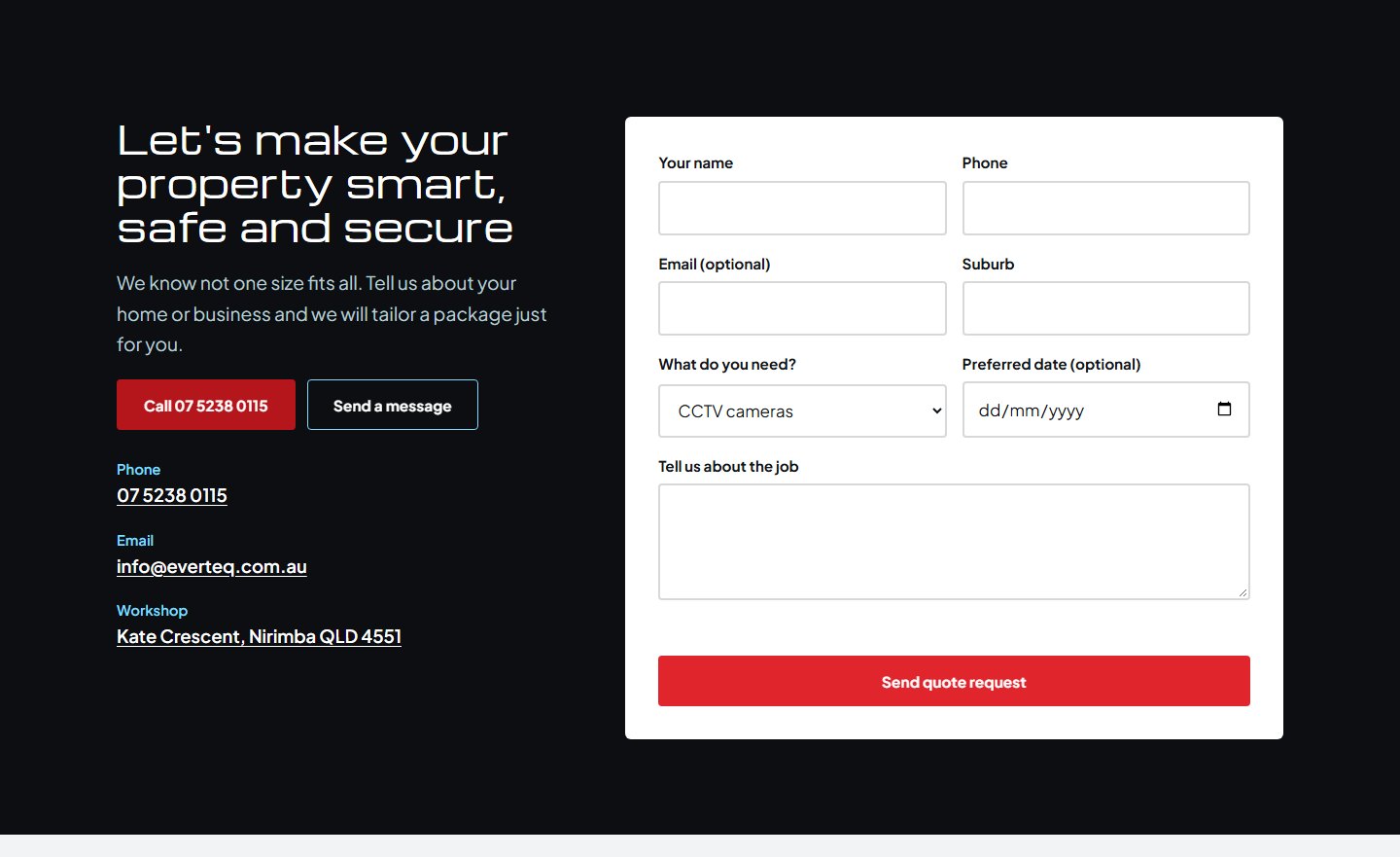
Name, phone, suburb, the service needed, a preferred date and job details, so every enquiry arrives with what's needed to quote.
CAM 12Website experience
The assistant answers questions about cameras, alarms and Wi-Fi, captures the customer's details and passes the enquiry to the team. Urgent jobs are pointed straight to the phone.
CAM 13Website experience
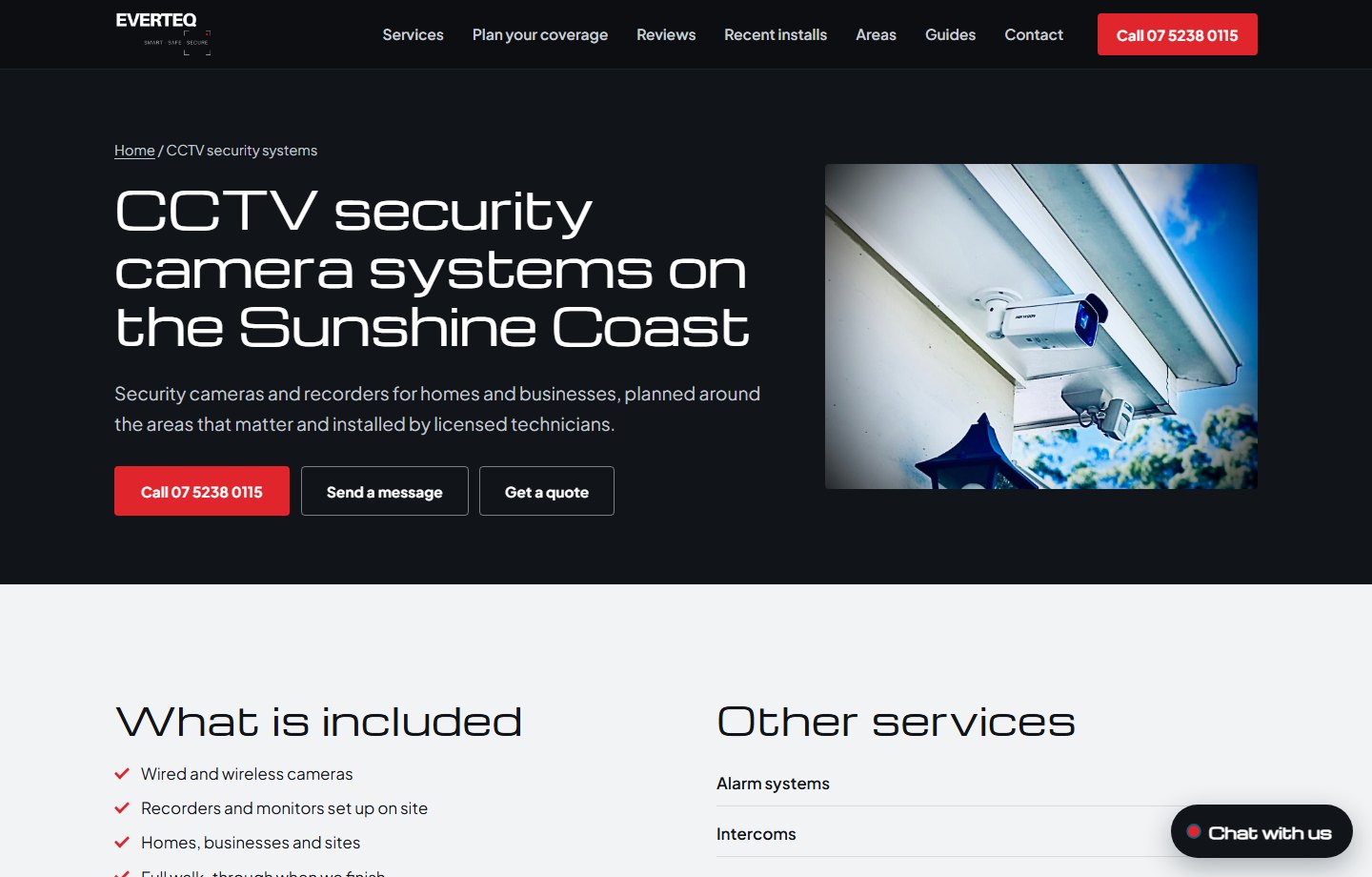
Each service has a focused page with what's included, real photos and a clear way to call, message or get a quote. This example is CCTV.
CAM 14Website experience
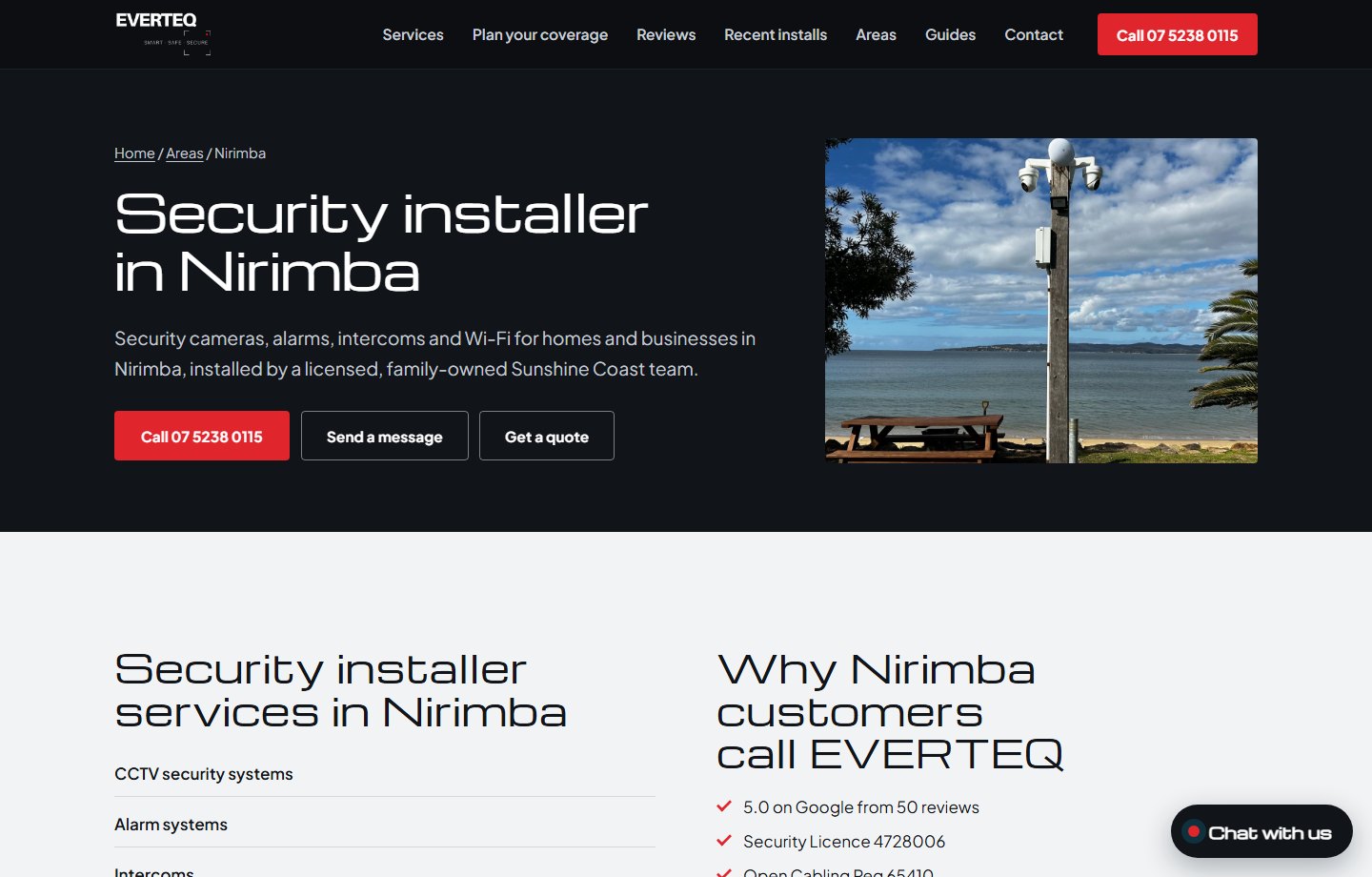
Purpose-built suburb pages connect EVERTEQ's services with homes and businesses across the Sunshine Coast, from Caloundra to Coolum.
CAM 15Website experience
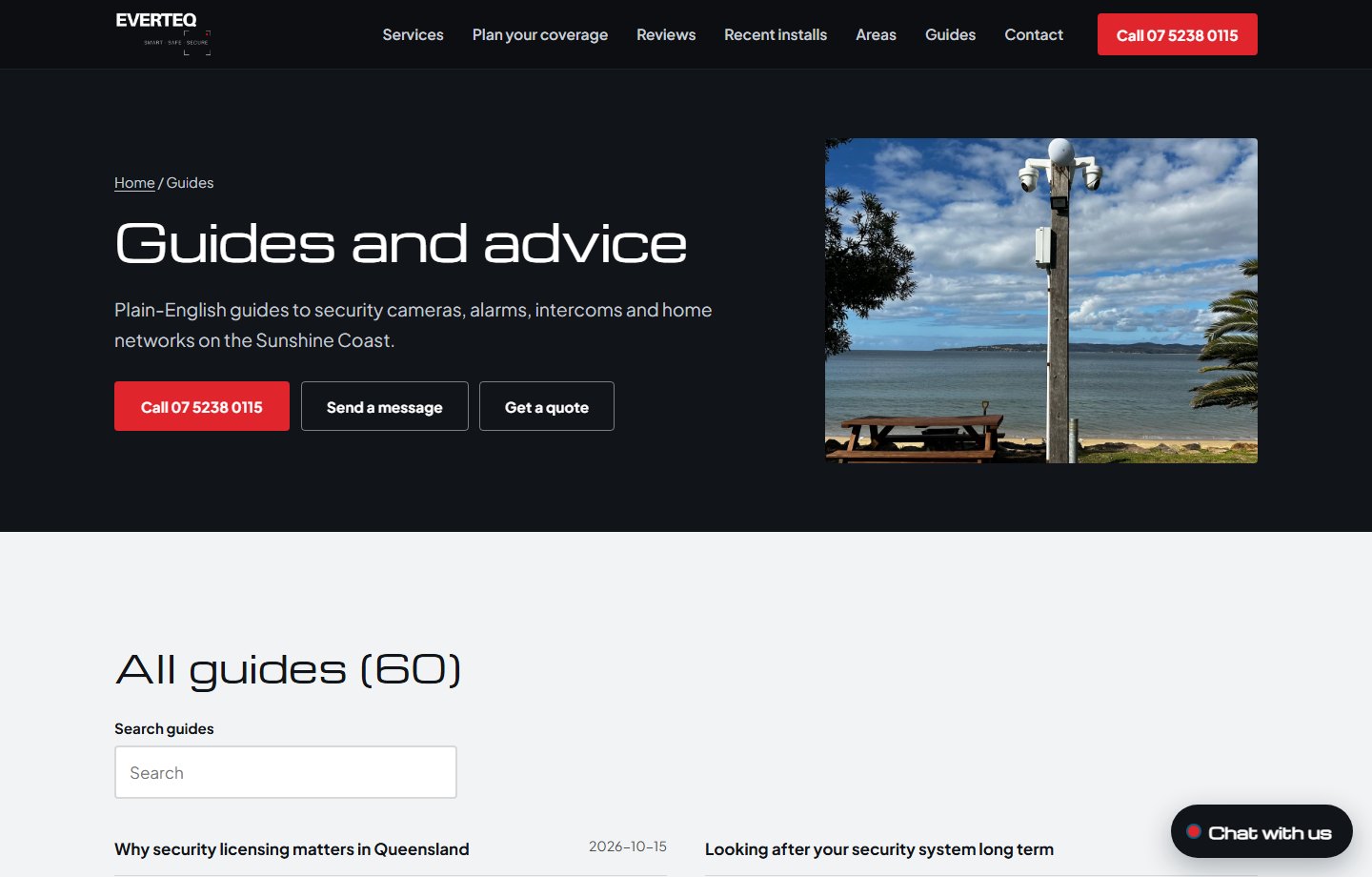
60 practical guides on cameras, alarms, Wi-Fi and cabling answer the questions people search for before they buy.
CAM 16Business command centre
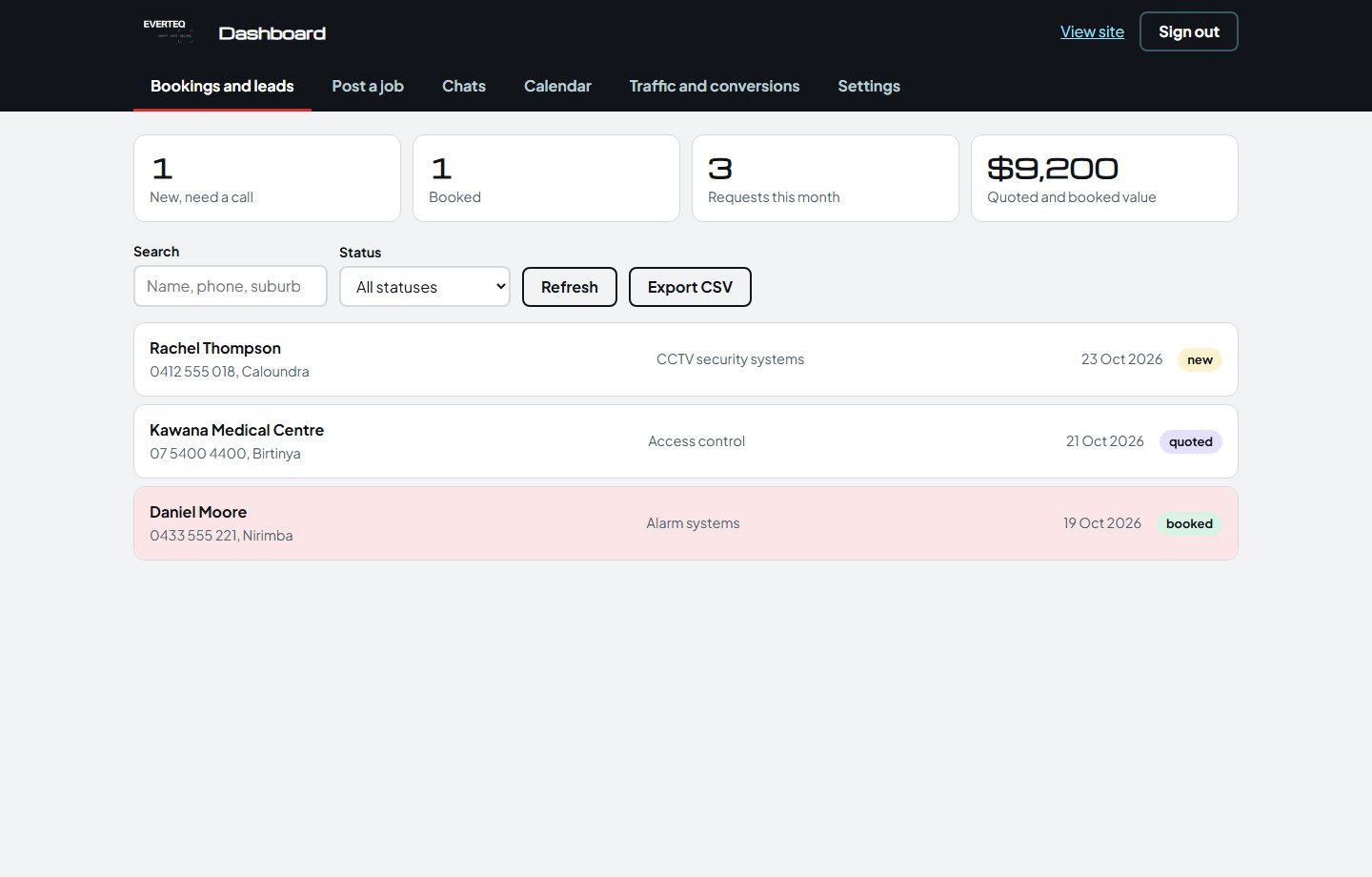
Every form and AI enquiry lands in one pipeline with status, service, value and customer details. The figures shown are illustrative preview data.
CAM 17Business command centre
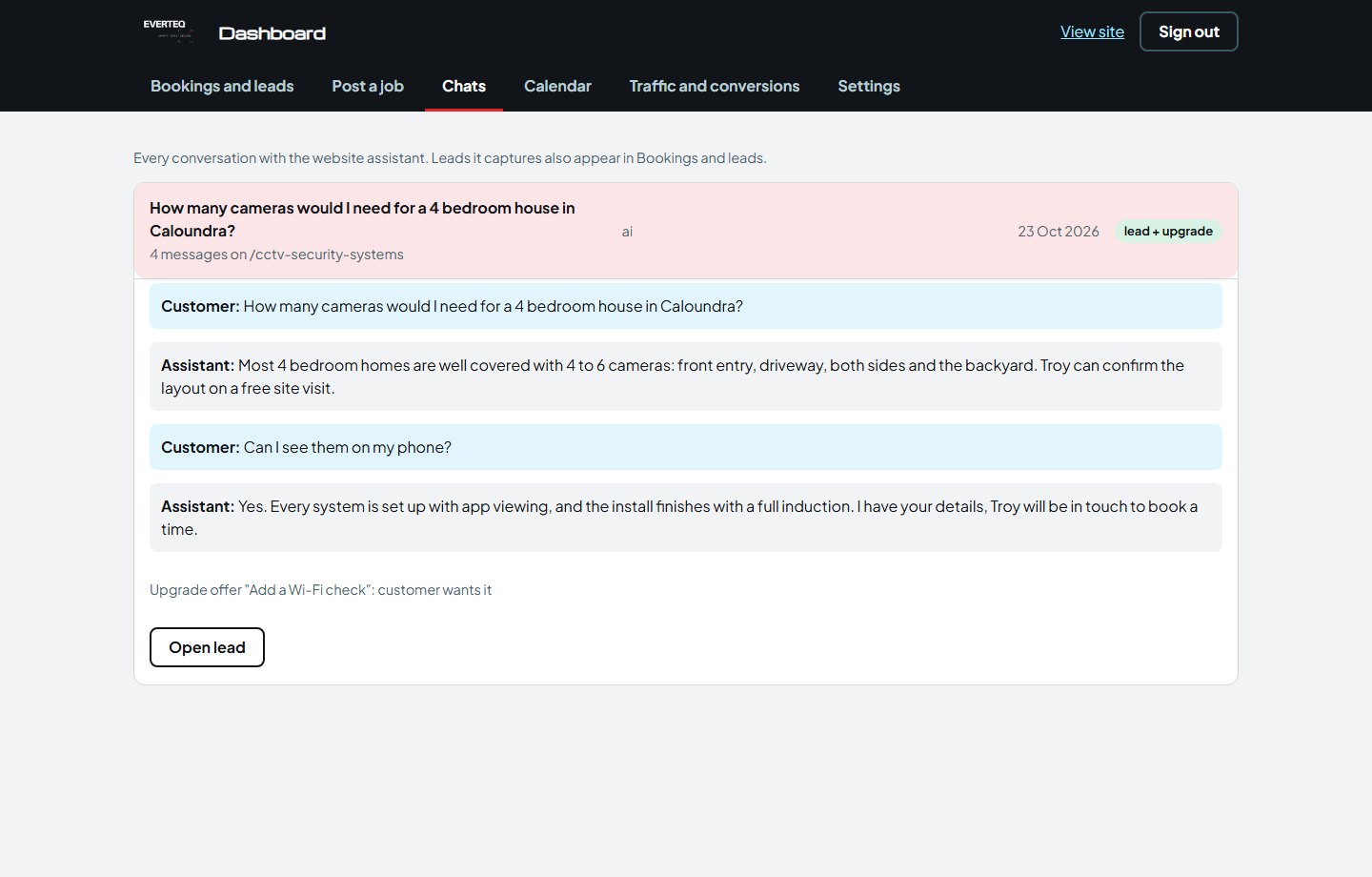
Read the full conversation, see whether a lead was captured and whether the customer accepted an add-on like a Wi-Fi check. Illustrative preview data.
CAM 18Business command centre
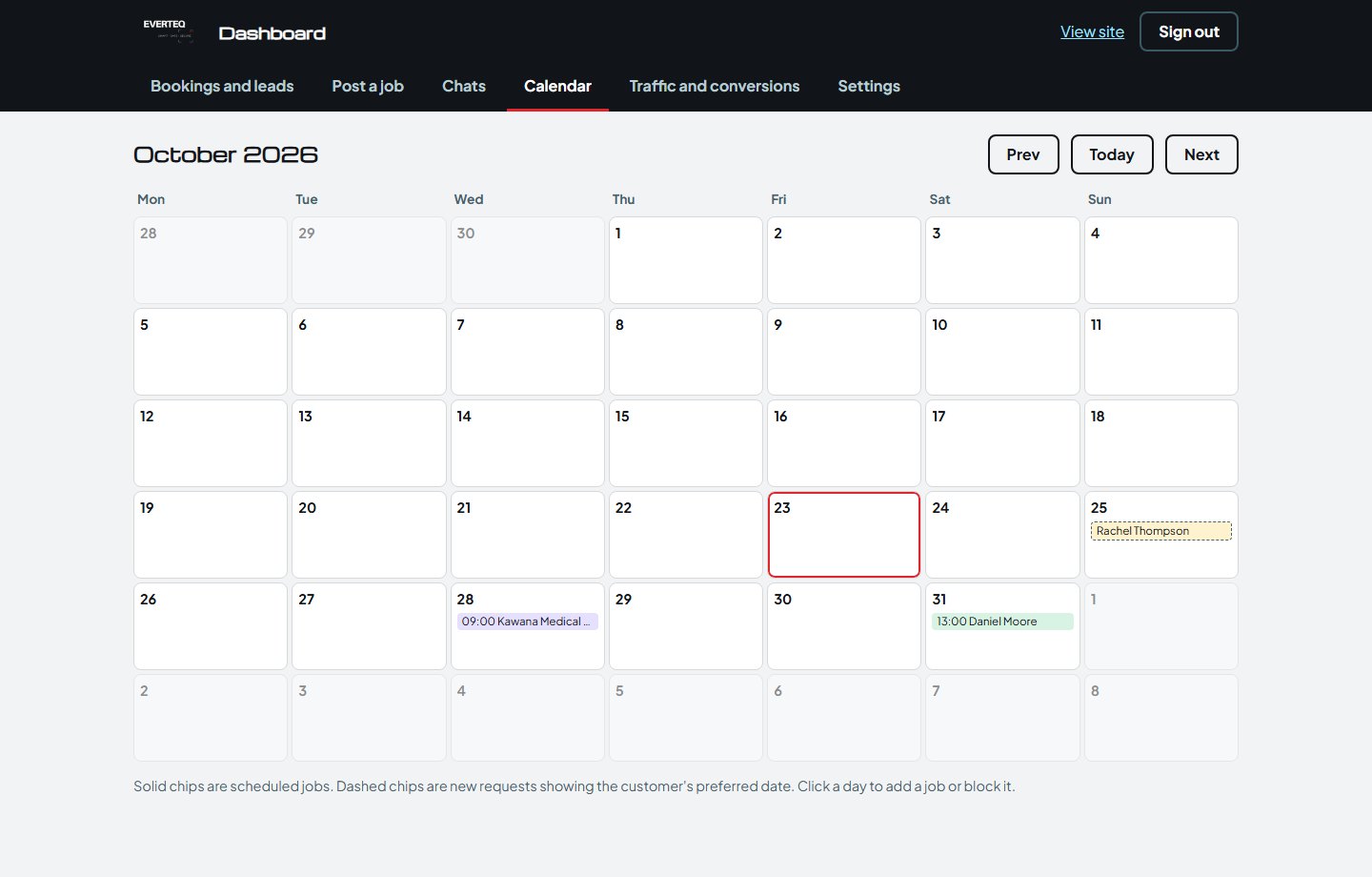
Scheduled installs and customers' preferred dates appear together, with the ability to add jobs or block days off. Illustrative preview data.
CAM 19Business command centre
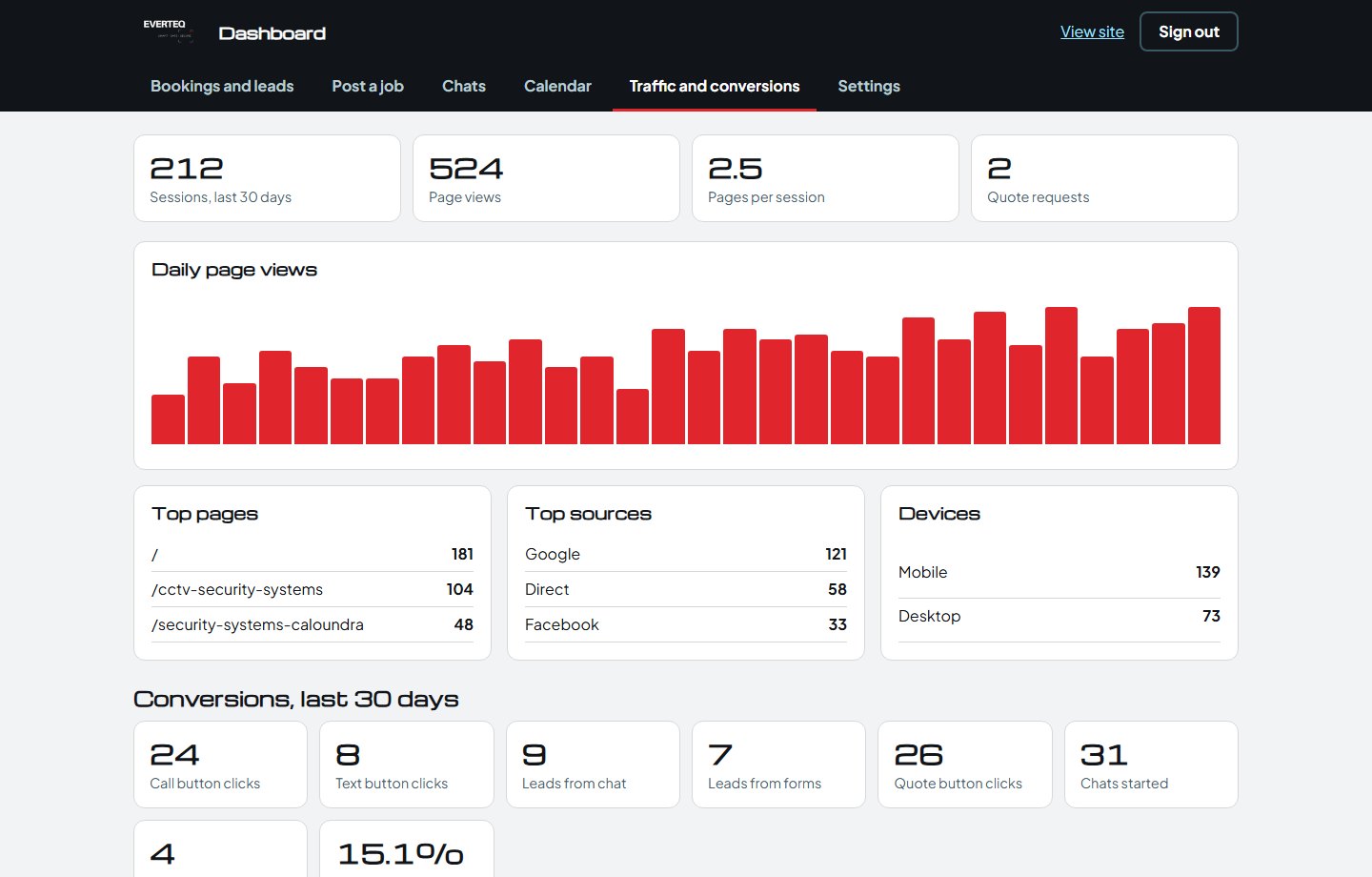
Visitors, top pages, sources, devices, call clicks, chats and quote requests in one place. The figures shown are illustrative preview data.
CAM 20Business command centre
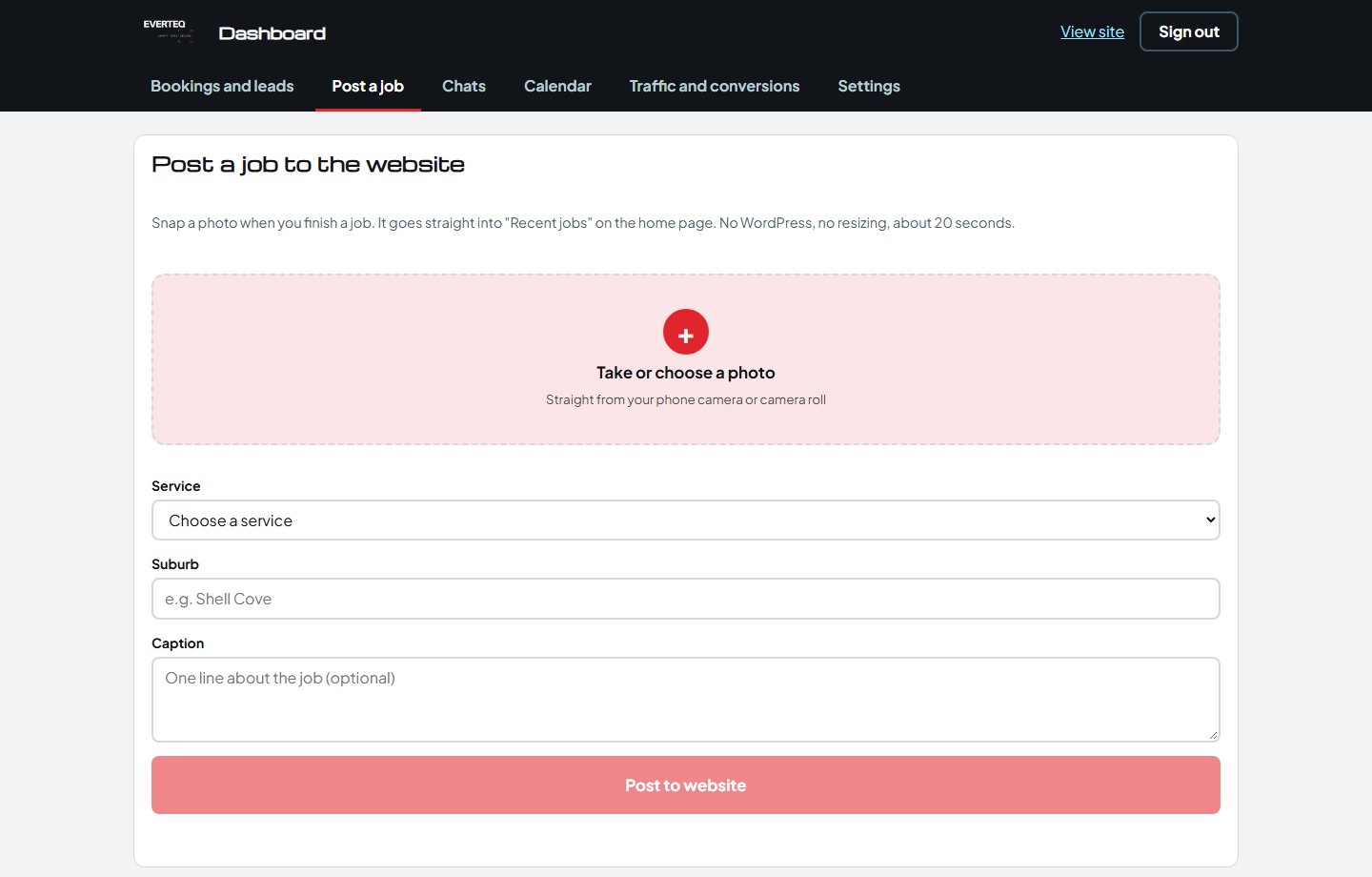
Snap a photo on site, add the service and suburb, and it goes straight onto the website. No website code involved.
CAM 21Business command centre
Most visitors are on a phone, so calling, quoting, the camera wall and the AI assistant all work properly on a small screen.
Reply to Kori and he'll walk you through the live website, the camera wall, the coverage planner, the AI assistant and the dashboard.
Download the PDF version